In this latest version the messenger interface have been enhanced even more, you can do conference chat on the go and even chat in five different friends in five different windows at a time from your mobile phone or PDA.
Hotmail have been integrated which actually simply configures itself once you give the email address and the password for your account. Additionally beside all these, you have exclusive online access to password protected parts of the Windows Live Spaces, online file storage and what not.
Think of it, if you are an windows live spaces blogger or webmaster, this is a dream kit for you. If you are not, well still then it is a dream kit for you cause the messenger interface is far more superior than anything else out there in the mobile applications market.
With the latest Push version of this MSN Mobile Hotmail, you can be sure that you will never miss another mail due to access problems. It even has the auto complete feature enabled so that when you want to mail someone and you forget their email address, you can still email them by just typing what you remember about that person, let it be their email name or address.
The coolest part of it is that you don’t even have to scroll to find the mail. The Microsoft Windows Live spaces feature lets you upload photos from your mobile phone on the go, believe that? Now you can blog on Live spaces even if you are not in front of your desktop. If you are lost in the road you can simply open up the Local Search option and find the detailed address by looking into the map feature, you can even pan, scan and zoom at the same time which will also show you the dynamic weather report just like you see in the desktop version of MSN Local Search. As in the laptop or desktop, you can also save those specific maps/points on your MMC or phone memory to retrieve and view later without incurring GPRS or 3G cost.
MSN mobile lets you view stock quotes, weather conditions, latest happening news from all around the globe and also lets you browse the latest in Entertainment as in movies, celebrity gossips etc. You can seek up phone numbers of anyone you know, or get the latest tips on Tax and other financial stuff all on the go. This is particularly very useful if you are a businessman and need to keep up with the current market and situations even when you are out of your workstation. All unlocked version of Att or Atnt, tmobile or sometimes known as t-mobile, verizon wireless, Sprint and Cingular prepaid and postpaid subscribers can also enjoy these information and services to the fullest from their smartphones or pda.
The nifty MSN messenger feature also lets you see and set your own status message, add or delete contacts, appear offline etc just like you do on the PC. You also have the integrated Live search and if you have signed up with the SMS text features of MSN then you can also access and use that.
Download
http://w16.easy-share.com/1702581459.html
or
http://www.ziddu.com/download/2773419/WindowsLiveMessenger5.0001S60v3SymbianOS9.x.zip.html
Windows Live Messenger 5.0001 S60v3 SymbianOS9.x
on Saturday, November 29, 2008

With emoze
- Receive your emails and Outlook data anywhere, anytime
- Handle your schedule and meetings via your mobile device
- Enjoy synchronized Personal Information Management (PIM)
- Access information about your Contacts, anywhere, anytime
With emoze
- Data is pushed automatically to your mobile handset or PDA with no need to connect to a service or click send\receive
- Military-grade secure, encrypted transmissions behind your firewall
- Totally free accessibility with no costly packages, specific hardware or software platforms
Download emoze
- User friendly installation on PC and compatible mobile device
- Fast and simple setup
- Familiar interfaces, same as traditional email programs
Emoze security
- Maintains privacy superior security solutions
- No cookies, no spyware, no duplication of user data on emoze servers
- All transmissions are encrypted using the highest possible industry standards
- For Corporate users, new ports are not needed preventing hacking vulnerability
Technical Specifications
- Compatible with Microsoft Mobile or Symbian devices that have a GPRS or other data connection with Microsoft Outlook, Microsoft Exchange, Lotus Notes Domino servers and POP3 online email services such as Yahoo! and Gmail
- Supports all major brands of mobile handsets including Nokia, Samsung, and Motorola
- Service is independent of network technology and works on any wireless GSM, CDMA or Wi-Fi network including 2.5G and 3G such as WCDMA/UMTS, CDMA2000, 802.xx, Wi-Max, GPRS (2.5G), EDGE, CDMA 1xRTT, CDMA 1xEVDO, etc.

Download
http://w17.easy-share.com/1702581460.html
Or
http://www.ziddu.com/download/2773430/emoze2.0.83_s60_91.zip.html
Now you won't have to move around finding meaning of cumbersome eponyms in Dictionaries or elsewhere.
This wonderful application gives you all the eponyms at one place only with most of the details you would want to know.

Download
http://w15.easy-share.com/1702606642.html
Or
http://www.ziddu.com/downloadlink/2786192/Eponyms.rar
Y-Tasks 0.51 SymbianOS9.x + Plugins + A Handy Tip To Recover RAM
Y-Tasks is a suite of utilities and diagnostic tools that are sure to please even the most advanced S60 user. There are many plugins out of which I have chosen only 5 best.
The Y-Tasks home screen shown above gives you access to each of the components within the app and each component performs entirely unique functions.
Plugins
1. Filetypes:
The Filetypes component allows you to view all recorded filetypes on our device and change file associations. How is that useful? Well just one example is MP3s. By default MP3 files will open in the integrated music player but now you can easily change the mapping so that they will open in a third-party player like LCG JukeBox instead.
2. Apps & Tasks:
This is the actual task manager component in the app. Apps & Tasks will allow to to view installed apps and running tasks and display info about each item. Beyond that you can also easily bring running tasks to the forefront and even close or kill them as you wish.
3. Processes:
The Processes component allows you to browse through all of the processes and threads running on your device. You can view detailed info on each list item including IDs and capabilities, and you can also kill items from the main Options menu.
4. Memory status:
Memory status gives you a real-time view of the memory state of each drive on your device, as well as RAM. There is also a unique option to “Reserve memory”. This will reserve a block of RAM (any size you wish) and prevent it from being occupied by any app.
The Memory (RAM) Recovery Trick:
Usually when you keep using your device from 2 or 3 days, the amount of free RAM keeps getting lower and lower. You will start getting "Not enough memory, close some applications and try again" message. Only way to reclaim the RAM WAS to restart the device.
Now with YTasks you can recover a lot of RAM!!!
I have tested this on my Nokia N95 v21.0.0.16. I don't know how it works on other's mobiles. Please do test and post the results! I do hope it works on other mobiles too!
> Close all running apps and open YTasks (make sure you have memory plugin). And select the memory monitor plugin from the YTasks screen.
> Now you can see how much RAM is free and how much is used. Select Options > Reserve Memory. Give a large amount and press the OK button. Now YTasks will give you the max possible memory that you can reserve. Reduce about 300 or 500 kb from that and then press OK.
> Now you see only 0% of RAM is free. Now goto Options > Compress RAM. Once you do that, a lot of free RAM will be released!
> Now goto Options > Free Reservations. Once you do that, you will have much more free RAM, nearly the amount when the device has been restarted.
You should not use this instead of restarting you mobile! It is always good to restart you mobile once in 2 or 3 days
Download
http://w13.easy-share.com/1702557934.html
Or
http://www.ziddu.com/download/2764323/Y-Tasksv0.51INCPLUGINS.rar.html


Bowl like never before and get up to 15 games of party bowling in paradise! With an addictive mix of classic 10-frame play, wild party ball and mind-blowing trick shots, Party Bowling is the ultimate combination of party fun and bowling. Spin past obstacles and outscore opponents to dazzle the crowd and win fun trophies! Get this plus a free bonus: Party Island™ - real friends, parties and more!
Features
- 3 Game Modes
- Quick Game Mode – classic 10-frame play
- Party Bowling in Campaign Mode
- Hot Seat to challenge your friends
- 3 tropical island locations!
- 15 addictive challenges!
- Mind-blowing trick shots


Download
http://w15.easy-share.com/1702611224.html
Or
http://depositfiles.com/files/cit67faix
One of the world's wackiest, addictive! Worms World Party features globally appealing humor, habit-forming multiplayer match-ups, and a myriad of game options to keep you coming back for more.
Do you want to get your hands dirty in a quick firefight or exercise your generalship in a long, thought-out wormfest? We put control in your hands.
Why? Because worms don't have hands, silly!
In this turn-based action strategy game, teams of humorously animated worms wage battles across weird, randomly generated landscapes
Single player modes include training missions to hone your creative attack and lightning-speed decision making skills in deathmatch and mission-based games
Unleash mutant worm-destroying sheep, fierce bazooka cannons, and ancient Kung Fu powers on unsuspecting worm opponents
Fight your way across several environments including snow-covered worlds and deep, dark forests. Perhaps the lure of the cheese landscape is calling you to battle, or you may just win the day and declare yourself king of the fruit bowl... it's all up to you to decide!
With the power of the customizer, you can name your worms, select unique weapon inventories, and, when the inevitable happens, pick out the tombstone for your worm's final resting place
Fully customizable game options that allow you, the player, the ability to choose the way you deal wormy mayhem to opponents, from drawn-out wars to quick and dirty skirmishes.
Attention! This game will not work together with BiNPDA.Mophun.Games.Launcher.v1.01.S60v3.SymbianOS 9.1-BiNPDA
Download
http://depositfiles.com/files/j11heag6s
Or
http://w13.easy-share.com/1702571196.html
Do you feel like someone is watching you without you knowing? The dark, foggy, decaying environments come to life for mobile phones as a unique story unfolds to reveal one of the most frightening games of all time. From the creators of the original smash hit for the video game console, comes Silent Hill for mobile phones.
Download
http://www.ziddu.com/download/2766074/SilentHill.zip.html

Fring
on Friday, November 28, 2008
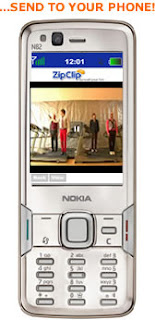
Clip most anything you want from the web and send it straight to your phone or a friend's.
- Photo or Image - put your cursor on top of the image, and right click.
- Video - put your cursor next to it, and right click. (In the white space around the video image.)
- Text - highlight the text, then right click.
- Audio or music - today, this is a bit difficult for a few tricky technical reasons. You may sometimes be successful with it, but more often than not, it will not work.
Quake (I, II and III) All Version For SymbianOS 9.1/9.2/9.3
on Thursday, November 27, 2008THIS SOFTWARE REQUIRES AN S60 PHONE BASED ON S60_FP1(like N95), AND ARMV6 PROCESSOR. WILL NOT ON WORK ON OLDER 3RD EDITION PHONES
Package Include:
Quake
- quake_v104_armv6_fpu.sisx - this version is for phones which have a floating point unit (ie. N95,N95 8GB, E90, etc)
- quake_v104_armv6_nofpu.sisx - a non fpu build for phone without fpu (ie. 6290, etc)
- quakeworld_v104_armv6_fpu.sisx - with fpu support, requires the full version of the original datafiles
- without fpu support, requires the full version of the original datafiles
- glquake_v104_armv6_fpu_hwa.sisx - quake with full OpenGL | ES hardware acceleration (N95, N95 8GB, E90, etc)
- quake_v104_src.7z - The GPL source code. RVCT 2.2 required to compile.
- changelog.txt - Changes since previous versions.
- quake2_v101_armv6_fpu.sisx - Quake2 engine (requires floating point unit and ~25-30 megabytes of free RAM, includes builtin support for following mods: ctf, xatrix and rogue)
- quake2_v101_src.7z - Source code for Quake II
- q2_changelog.txt - Changes since previous versions
Quake3 Arena
- q3a_v100_armv6_fpu_hwa.sisx - Quake 3 Arena engine (N95 8gb, N82 and E90 only)quakeworld_v104_armv6_nofpu.sisx -
- q3a_v100_src.7z - Source code for Quake 3 Arena engine (developers only)
- q3a_changelog.txt - Changes since previous versions
Bluetooth HID support for Quake 3 Arena
- hidsupp_v100.sisx (read the instuctions on the installation page how to configure you input devices/how to use them in the game)
- hidsupp_changelog.txt - Changes since previous versions
- pips_nokia_1_3_SS.sis - Symbian P.I.P.S. C-Runtime library. Required by all of the executables on this page
Install Instruction :
Quake
The installation packages on the download page require that you have also a datafile for the game on your memorycard. Both shareware and full version work. Please do not ask me where to find the datafiles. QuakeWorld uses the same datafiles from the same directory as Quake, so there is no extra installation procedure for QW other that it requires the full version of the datafiles.
1. Find a suitable datafile (either shareware, or the full version form original PC version)
2. Create "quake1" folder to the root of your memorycard
3a. If you have the full version, just copy the "ID1" directory to "quake1" directory.
3b. If you have only a shareware .pak file, create "ID1" folder to "quake1" directory and the copy the shareware pak-file there
4. If you want to have cdaudio aswell, create "cdaudio" folder to the "quake1" folder. Then put the audio files as .mp3 to the "cdaudio" folder, remember to rename the files from 1.mp3 throught 10.mp3. I don't know what bitrate is the best, but I have used 256kbps and it has impact of 0.1 fps to the performance. If you do not have the required audio files, the background music is just not played.
5. install the Symbian P.I.P.S. c-runtime library, and the install the suitable version of quake.
from version 1.04 onwards, the game supports command file parameters via file. The file is either "cmdline.q1" for quake, or "cmdline.qw" for quakeworld. If you want to use command line parameters, just create the required file(s), and place them to "quake1" folder. Use Google to find out what parameters the game support, but ofcourse not all parameters are applicaple. The command line parameters make it possible to play mods, tested with the official mission packs "Scourge of Armageddon" and "Dissolution of Eternity". To play the mission packs, copy "hipnotic" or "rogue" folder from the original mission pack cd to the "quake1" directory and use command line parameters "-hipnotic" or "-rogue"
Also, please note that in GLquake the brightness slider does not work. You can adjust it via command line parameter by supplying something like this "-gamma 0.7". For GLquake it is also possible to enable full screen antialiasing with -fsaa command line parameter ( will degrade performance)
If everything is in place, you are ready to rock now.
Quake2
Seems that a nasty defect slipped to the initial release, the game might not work correctly on all languages. If you are having problems to get the game up and running, change the phone language to english.
1. get hold of suitable datafile (original cd or shareware/demo)
1.1 if you have n95-1, update the firmware to atleast 2.x.x otherwise it does not have enough memory.
2. install P.I.P.S and the QuakeII engine. If the phone complains something about the certificate, check your settings in application manager. It should be configured to allow installation of all sis files.
3. install datafiles (using for example the usb-mass storage mode)
3.1 create "quake2" folder in the root folder of your memory card.
3.2 inside "quake2" folder, create another folder "baseq2"
3.3 now copy the pak file(s), video folder and players directory from the original cd to "baseq2" folder. If you have only the shareware file, put it to "baseq2" folder. NOTE: with shareware .pak, the screen will stay black for about 30 secs
4. (optional) install audio tracks
4.1 create "cdaudio" folder in "quake2" folder
4.2 copy exactly 10 audio tracks (mp3) to cdaudio folder and name them 1.mp3 through 10.mp3. If you don't have all the tracks correctly named there, cdaudio wont't play
5. command line parameters can be set through "cmdline.q2" file which should be placed to "quake2" folder. The file should be saved as ASCII, and only the 1024 first characters of the first line are read.
Generally, mods that should work. However, mods that require a separate game dll do not. Same applied to multiplayer games. The engine installation package contains ported versions of vanilla ctf, xatrix and rogue, so the official mission packs and ctf do work correctly. The installation procedure for mods is similar to the base package, but instead of putting files into "baseq2" you should put the into "modname" directory under "quake2". To start lets say xatrix, put "+set game xatrix" (without quotes) to "cmdline.q2" command line file. Needless to say, you need the datafiles for the mod to be present aswell.
Also, the opengl video driver behaves slightly differently with brightness settings. As it has coloured lighting, you need to use console/autoexec.cfg to change the "brighness".
example(in the console):
intensity 1.6 (the intensity of bright colors, higher numbers means more)
gl_modulate 1.4 (lower settings makes all shadows darker)
vid_restart
If anything goes wrong, you could try to look for "q2_log.txt" in the "quake2" folder in order to see what went wrong.
In the end, you should have similar directory/file structure as in these images (the phone seems to map itself as drive G: on my windows machine, you mileage may vary)
Quake 3 Arena
1. Install Quake 3 Arena to your PC from the original Quake 3 cd
2. Update the game with the latest available update (ftp://ftp.idsoftware.com/idstuff/quake3/win32/q3pointrelease_132.exe)
3. Locate the baseq3 folder in the game installation directory on the PC
4. Create "quake3" folder on the memory card/mass storage drive on the phone (using usb mass storage mode with PC)
5. Copy the baseq3 folder from the game installation directory on the PC to quake3 folder and LEAVE ONLY FILES ENDING WITH .PK3 and delete everything else. Any other files from the PC version will probably screw something at this point.
The directory/file structure should be like this on the phone:
e:\QUAKE3
|
+---baseq3
| | pak0.pk3
| | pak1.pk3
| | pak2.pk3
| | pak3.pk3
| | pak4.pk3
| | pak5.pk3
| | pak6.pk3
| | pak7.pk3
| | pak8.pk3
6. Install P.I.P.S 1.3(or later if available) to the phone (pips_nokia_1_3_SS.sis)
7. Install Quake3 to the phone (q3a_v100_armv6_fpu_hwa.sisx)
8. If you want to use bluetooth mouse or keyboard in the game, install hidsupport aswell (hidsupp_v100.sisx)
You should now be able to start the game (takes some time to start, with the shell still visible, so please be patient). If something goes wrong, the game writes a log file (q3_log.txt) to the quake3 directory, in the case of error
you might want to contact me and send a few last (20) lines of the log file with a description of the error.
The first thing to do in the game is to reconfigure the ingame keys. The default keymappings do not correspond to the real
phone keyboard in any way. Other than that there are few hardcoded keys that cannot be changed:
console key - * on the phone keypad, the green call key on the internal E90 kb, windows button on Logitech DiNovo mini, and the left softkey on the Nokia KB
esc - the right softkey
NOTE: The # key on the phone keypad can be used to navigate to the next menu item in the ingame menus
NOTE2: Full screen antialiasing(FSAA) can be controlled from the graphics options, the default is OFF
Multiplayer
Multiplayer should work out of the box, however I strongly recommend that please configure the access point to be used in the ingame network settings(restart of the game required). When the access point is configured, the game
will automatically use that connection. Also, running a local server on the phone requires that you have configured the access point to use. If the game can not use the access point for some reason, it's switched back to none
Configuring bluetooth mouse and/or keyboard for Quake 3 Arena
If you want to play with bluetooth keyaboard and/or mouse, you need to configure them first. You should have installed the hidsupport package for that. In the application shell, you should see the "hidcfg" application, locate and launch it.
The ui of the hidcfg application is rather simple, just navigate to select the device number you want to configure and press the joystick, or choose the "Choose device" option from the menu. Depending on the device you want to
use, it might be necessary to set "Authenticate" to yes in which case you will be asked a PIN code for the device. If you don't know the pin code of the device, you could try 0000. The authenticate setting needs to be set _BEFORE_ you select the
actual device, it does not do anything if you do it afterwards. Most of the devices I have tried do not require the "Authenticate" option to be yes.
You should always try with the authentication option as "No" first, and if the device refuses to work with it, try again with authenticate set yes.
Selecting the device is rather straighforward, just select "Choose device", make your device discoverable(usually some button on the device) and then select it from the list. If you don't see you device on the list, just try again. Some devices might ask a PIN
code even if the "authenticate" setting is set to "No", in that case just enter the PIN.
If the device configuration was succesfull, your device name should now be visible on the list, if not the device was not configured properly -> please try again with different authentication settings.
When you have succesfully configured your devices, it's OK to quit the application. Also the configuration needs only be done once, until you want to use different devices, or the device has been used with some other computer.
MAKE ABSOLUTELY SURE THAT THE "Nokia Wireless Keyboard" (nor any other manufacturer supplied "driver") application is NOT RUNNING in the background as it will screw everything up
Now just start the game, and press some keys on the KB, or move the Mouse and they should automatically connect to the phone(mouse cursor should now move, and you should be able to navigate the menus with the external KB).
While I cannot quarantee that your specific hardware works, most of the devices that use the standard Bluetooth HID protocol are likely to work.
NOTE: some devices seem to try to connect very few times (like the Nokia KB). If that is the case, you may need to cycle the power on the device(this does the trick with the Nokia KB), and press some keys again while the game is running.
NOTE2: It's normal that the bluetooth connection indicator disappears after a while when in hidcfg or when quitting it. The connection is not actively maintained. A game like Quake3 listens to incoming connections from input
devices, the connection is set up when you are running the game and press/move the input device.
NOTE3: Mouse/KB cannot be used to operate the S60 UI
Devices known to work:
Logitech DiNovo Mini - bluetooth keyboard/mouse combo
Nokia SU-8W - bluetooth keyboard
Apple - bluetooth mouse (exact model not known, use passcode 0000)
Logitech mouse - bluetooth travel mouse (v270 I believe)
iGo - bluetooth keyboard
Microsoft - bluetooth mouse (exact model not known)


Download
http://depositfiles.com/files/1kxcnmc2h
Driver: L.A. Undercover
by Gameloft
The high-octane return of Driver on mobile with even more explosive 3D action!
You are Tanner, an undercover cop whose mission is to topple the Los Angeles Mafia. For the first time on mobile, ride through a huge 3D city and dive right into the heart of even more explosive action thanks to the new 3D view, just like in console games. Get ready for ultra-risky missions on foot and by car in the heart of Los Angeles, where you'll infiltrate gangs, protect informants, and chase bank robbers at breakneck speeds in hellish road pursuits worthy of the greatest Hollywood blockbusters! Tanner, get ready to do whatever it takes to protect your cover and bring down the big fishes of the City of Angels.
- New 3D gameplay with a console-game feel, hurling the player into the heart of the action.
- Explosive storyline offering more than 30 missions on foot or in cars.
- Total freedom of movement in a gigantic 3D city (4 neighborhoods).
- Ultra-realistic driving sensations, thanks to the 3D view simulating a camera placed behind the car.
- Two shooting systems: Free aim for missions on foot and automatic aim for missions by car.
- Lots of possibilities for stunts: explosions, car crashes, dizzying jumps, and much more.
Resolution : All
Download
http://depositfiles.com/files/lc4bfs1ki

SPECIAL FEATURES :
RAPIDSHARE DOWNLOADS : yes you can now download files from rapidshare just enter the download link and it will be automatically downloaded.
NOW YOU CAN SET YOUR PREMIUM USER ACCOUNT OR DOWNLOAD AS FREE USER. ITS LOCATED BEFORE YOU SELECT THE DOWNLOAD MENU
SYMBIANIZE.COM ATTACHMENT DOWNLOADS : you can now download files here in symbianize.com no login required just enter the url of the attachment and youre ready to download(To users who cannot download using OM MOD)...
*NEW* MEDIAFIRE DOWNLOADS : New Feature added now you can download files from mediafire just enter the download link and it will be automatically downloaded.
RESUMING YOUR DOWNLOAD IN MEDIAFIRE WHEN CONNECTION IS DISCONNECTED/INTERRUPTED IS ALSO POSSIBLE(GREAT)
4SHARED DOWNLOADS : download files from 4shared.
PLUNDER DOWNLOADS : download files from Plunder.
ALL DIRECT LINKS CAN ALSO BE DOWNLOADED
Auto Resume : If your download is interrupted it will auto resume not like in OM Mod where in you have to resume again your download (If Server supports Download Resume Only)
Resume anytime : with this you can download a file, stop download another file stop again turn of your phone then resume your 2nd and 1st download from where you stopped provided that you did not change the filename..
Less memory consumption : uses about 4 to 5 RAM while downloading...
@ Trick Mode : if yu want to download using the @ trick and not worrying about editing your URLs it will be automatically edited...
Last dowload link is saved so if you want to resume your download you dont have to retype the same link again
Now Compatible to all CLDC 1.0 / MIDP 2.0 All phones phones wc can use OM MOD 2.06 is expected also to be compatible with this application.
Tested on: N73, N70, N82, N95, 6300, 6500, 6682, 6600, 6630, 5310, K800, 3310.
SCREENSHOTS TAKEN FROM 6500 A S40 2nd Ed. Phone...
Notes:
READ THE HELP MENU FOR MORE INFO...
Happy downloading!
Download
http://www.ziddu.com/download/2697394/aED-DLoader_4.5.8.zip.html
Wayfinder Systems Wayfinder Active With Internal GPS Support 1.32 S60v3 Java Retail By BiNPDA
on Wednesday, November 26, 2008Record training routes and statistics with our free mobile GPS service while you are running, hiking, skiing, biking or doing other outdoor activities! Wayfinder Active is a free GPS service for mobile phones with a unique combination of maps, GPS recording and statistics, all designed for active people. With this service on your mobile, you get access to a world wide map and terrain maps for selected countries.
You record your route or training trail with just a click. Afterwards an e-mail is sent to you with the statistics and a map displaying your route. Moreover your activity is uploaded to the activeoutdoor.com community. Keeping track of your outdoor activities, physical progress and goals has never been easier, or safer!
The service is connected to mobile internet when you have coverage. If needed, for example when hiking on the mountain, you can preload the route on the phone memory. In other words the application will always work!
Here are some key features of "Wayfinder Active (Java)":
· Detailed statistics: Maximum, current and average speed. Distance, calories burned, altitude info and much more.
· Download routes and tracks from activeoutdoor.com directly to your mobile application. If you find an interesting route on the activeoutdoor.com community, just download it to your mobile and get going!
· Planning: You can plan your own routes on activeoutdoor.com or with Wayfinder Active and download them to your mobile phone before starting your outdoor activity.
· Compass: Find your way...
· Reverse route: Are you lost and want to get home fast? Just click Reverse route and go back the way you came.
· Search for closest routes: Looking for a running track or a mountain bike trail? Just search your surroundings, make a choice and youre on your way!
http://www.ziddu.com/download/2761147/iveWithInternalGPSSupport1.32S60v3JavaRetailBiNPDA.rar.html

Message Mirror is one of the tools you must have on your phone. Message Mirror can help you:
* Find deleted messages.
* Backup messages.
* Keep messages private.
Message Mirror has a "mirroring service" running on your phone. The service monitors all incoming and outgoing text messages and records them in database. Therefore you can browse messages even if you have deleted them. You can also backup and export all messages to a file. You are able to transfer the file to PC or other phones. Also you can send the file by email or MMS. Type of the file can be TEXT, HTML, CSV or XML. Besides, you can set a password to Message Mirror and keep your message records private.
Compatible Device List
Message Mirror supports all Symbian S60 3rd edition series phones. Please refer to below device list. Nokia E50, E51, E60, E61, E62, E65, E70, E71, E90, N71, N73, N75, N76, N77, N78, N79, N80, N81, N82, N85, N91, N92, N93, N95, 3250, 5500, 5700, 6110, 6120, 6121, 6290
Samsung SGH-i400, SGH-i450, SGH-i520, SGH-i550, SGH-i560
LG KS10
Features
* Clone incoming and outgoing text messages on your phone.
* Find any deleted text message from cloned copy.
* Convert message log to TEXT/HTML/CSV/XML file.
* Store message log to your desired folder on your phone.
* Transfer message log to PC or other phones via Bluetooth or Infrared.
* Transfer message log by Email or MMS.
* Password protected.
* Able to auto-start with phone boot.
In "Settings" view you can configure Message Mirror features.
* Mirror incoming msg - Enable monitoring on all incoming messages.
* Mirror outgoing msg - Enable monitoring on all outgoing messages.
* Enable black list - Enable/Disable black list. When black list is enabled, sms from/to phone numbers in black list is not mirrored.
* Black list - Set phone numbers of black list. Put ","as separator between phone numbers. You can use wildcard characters "*" and "?", where "*" matches zero or more consecutive occurrences of any character and "?" matches a single occurrence of any character.
* Max mirror number - Set the maximum message numbers stored in Message Mirror database. "0" means no limit.
* Export method - Select the transfer method for exporting messages. You have 5 options: Email, MMS, Bluetooth, Infrared and phone storage.
* Export file type - Select the file type for exporting messages. You have 4 options: TEXT, HTML, CSV and XML.
* Password - Set password to access Message Mirror console. A password should contain 1-8 characters. Password is encrypted and stored on your phone.
* Auto start - You can set the message mirroring service to start automatically with phone boot up.
Change Log
* Version 2.0
o NEW: Export log file to desired folder on phone storage.
o NEW: Insert timestamp to log file name.
o NEW: Online update.
o NEW: Black list filter.
o NEW: Content sensitive help.
o NEW: Seamless upgrade to later versions.
o CHANGE: New look GUI.
o FIX: Some minor bugs.
* Version 1.0
o First version.

Production release of FREE JoikuSpot Light 2.3 is here.
New version includes support for following languages:
English, French, Dutch, Portuguese, Norwegian, Danish, Spanish, Italian, German, Chinese, Japanese, Swedish and Finnish.
The language is automatically selected to be same as the phone’s language.
JoikuSpot Light Edition is FREE and SECURE Mobile HotSpot solution that turns Nokia phones to a WLAN HotSpot.
JoikuSpot software is installed directly to the phone. When switched on, laptops and iPods can establish instant, secure and fast WLAN connection via smartphone's JoikuSpot HotSpot using phone's own 3G internet connection.
Multiple devices can connect to JoikuSpot in parallel and seamlessly share the same 3G internet connection.
New version includes support for following languages: English, French, Dutch, Portuguese, Norwegian, Danish, Spanish, Italian, German, Chinese, Japanese, Swedish and Finnish. The language is automatically selected to be same as the phone’s language. New version also includes 3G auto reconnect feature plus support for Nokia N96, N85, N78 and N79.
Download
http://w13.easy-share.com/1702100184.html

- LG KS10 (Joy), Nokia 3250, Nokia 5500 Sport,
- Nokia 5700, Nokia 6110 Navigator, Nokia 6120,
- Nokia 6121, Nokia 6290, Nokia E50,
- Nokia E51, Nokia E60, Nokia E61,
- Nokia E61i, Nokia E62, Nokia E65,
- Nokia E70, Nokia E90, Nokia N71,
- Nokia N73, Nokia N75, Nokia N76,
- Nokia N77, Nokia N80, Nokia N81,
- Nokia N81 8GB, Nokia N82, Nokia N91,
- Nokia N92, Nokia N93, Nokia N93i,
- Nokia N95, Nokia N95 8GB, Samsung SGH-i400,
- Samsung SGH-i450, Samsung SGH-i520, Samsung SGH-i550,
- Samsung SGH-i560

Download

- Detects and automatically removes viruses, worms, Trojan horses, and evolving malicious code
- Built-in firewall monitors all inbound and outbound LAN/WAN communications, blocking suspicious connection attempts
- Safeguards your phone as soon as it’s installed, automatically turning on virus protection and closing vulnerable ports
- Comes as an easy-to-use service with downloadable software
- One-time fee lets you use the service for two years*
- LiveUpdate™ Wireless lets you download software and protection updates wirelessly
- AutoProtect runs continuously in the background, providing real-time protection by scanning for malicious code in SMS, EMS, MMS, HTTP, and email files
- On-demand scans allow you to check for viruses in individual files, file archives, and applications whenever you like
- User Alerts let you know when a virus has been found, when new protection updates are available, and when the service is about to expire
- Easy installation can be performed by synchronizing from your PC, or via a wireless download directly to your smartphone
- Backed by Symantec Security Response, the world’s leading Internet security research and response team.


The mobile version of a long-awaited third part of hit strategy!
More half a century has passed from the moment of infection of the Earth with a radioactive mineral , the most part of a planet is unsuitable for a life, therefore for small quantity of not infected zones there is a fierce struggle. For protection of the arranged well regions with pure ecology organization GDI (the Global Protective Initiative) has been created. Its armies which purpose is clarification of a planet and returning of the world, you and should head.
Main enemy GDI - an insurgent grouping « Brotherhood NOD », headed by tyrant Kejnom. With it you will battle for each plot of land up to last killed soldier in the levels of the basic mode of gam
Size - [240x320] & [320x240]


Your ideal partner for your personal growth and well-being!
Boost your brain & relieve stress with this entertaining, adaptive training program involving memory, visual, logic & math skills, plus a focus category to help improve your concentration!Evaluate your mental capacity under regular or stressful conditions with the Daily Test & the Stress Management Test, and work with a personal coach to improve.Check your stats with the brain chart & view your scores after each exercise.This natural brain enhancement fits into any busy day perfectly and improves your overall health!
- A total of 20 brand new exercises covering 5 categories: Memory, Visual, Logic, Math and Focus.
- Exclusive exercises to help you improve your concentration, even under stressful conditions.
- A Free Training Mode to help you practice your weak areas under regular, but also harsh conditions.
- An automatic, adaptive difficulty system based on your brain activity profile.
- A detailed scoring & ranking system to evaluate your brain status after each exercise.
- A friendly interface and a modern look & feel, thanks to vivid colors and 3D elements.


- Singleplayer,
- Multiplatform (Series60-Series80-Series90-UIQ-Palm-PocketPC) mulitplayer via bluetooth up to 2 players! (cooperative and competitive modes),
- Over 100 game levels.
- Tutorial that will let you jump into the game easily,
- Exciting new game features such as fireball, magic ball, teleports, ghosts portals and many others
- plenty of blended sprites,
- huge transparent explosions,
- dynamic lighting, shadows,
- advanced particle system (fire, smoke, sparks).


 Posts
Posts

